One platform for the till, the kitchen printer, the walk-in freezer and the customer's phone — SmartKitchen connects every station in your restaurant so orders never get lost between them.
Most restaurants stitch together a POS, a separate delivery tablet, a paper stock book and a WhatsApp group for the kitchen. SmartKitchen replaces the stitching.
POS & cashier
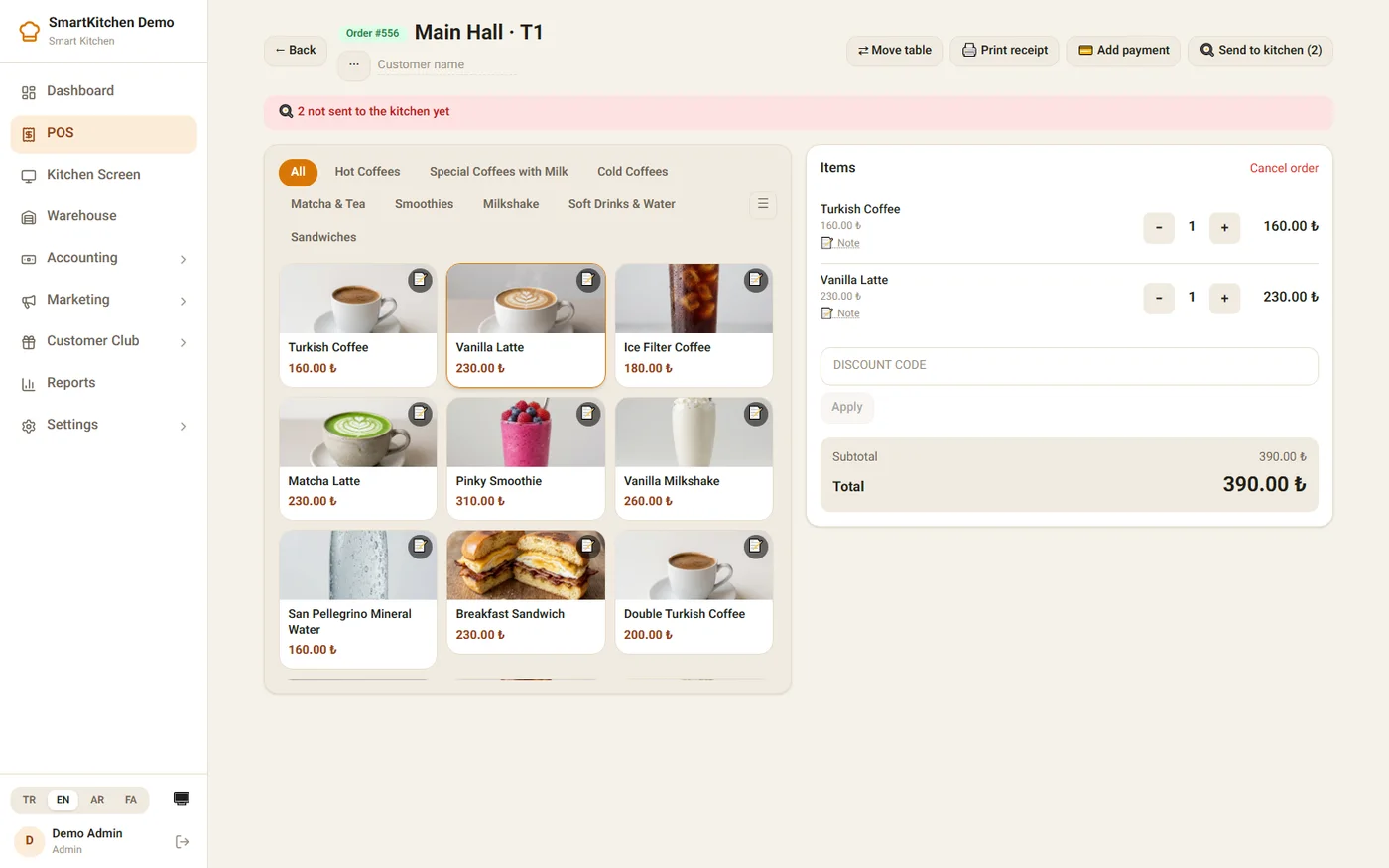
Dine-in, takeaway and delivery from one register — split by table, discount codes, cash or card, printed or digital receipts.
Kitchen printing & KDS
Orders route to the right station the moment they're sent — bar, grill, dessert — with a live kitchen screen as backup.
Menu & recipes
Photo-rich menu builder with per-food recipes, so every sale quietly deducts the right ingredients in the background.
Inventory & costing
Purchase invoices, supplier ledgers and real food-cost reports — know your margin on every dish, not just the till total.
Branded customer app
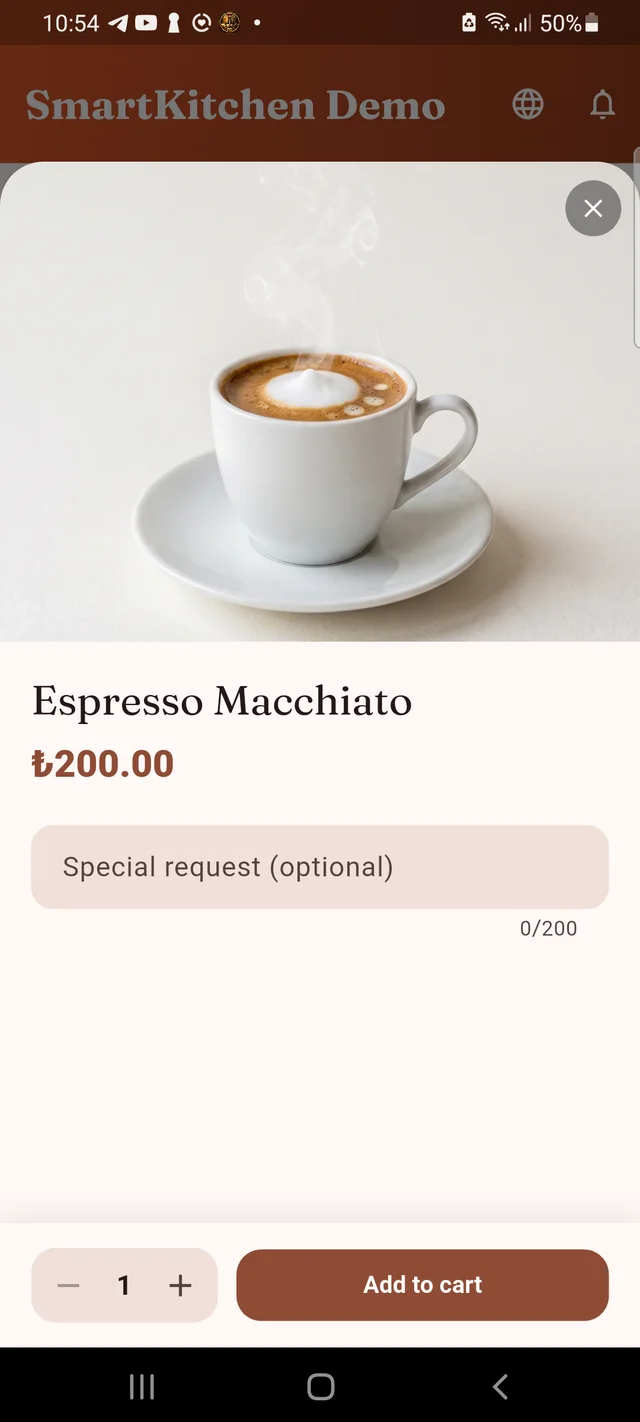
Your own iOS & Android app for browsing, ordering and tracking — QR dine-in, takeaway and delivery, loyalty points included.
Staff & garson app
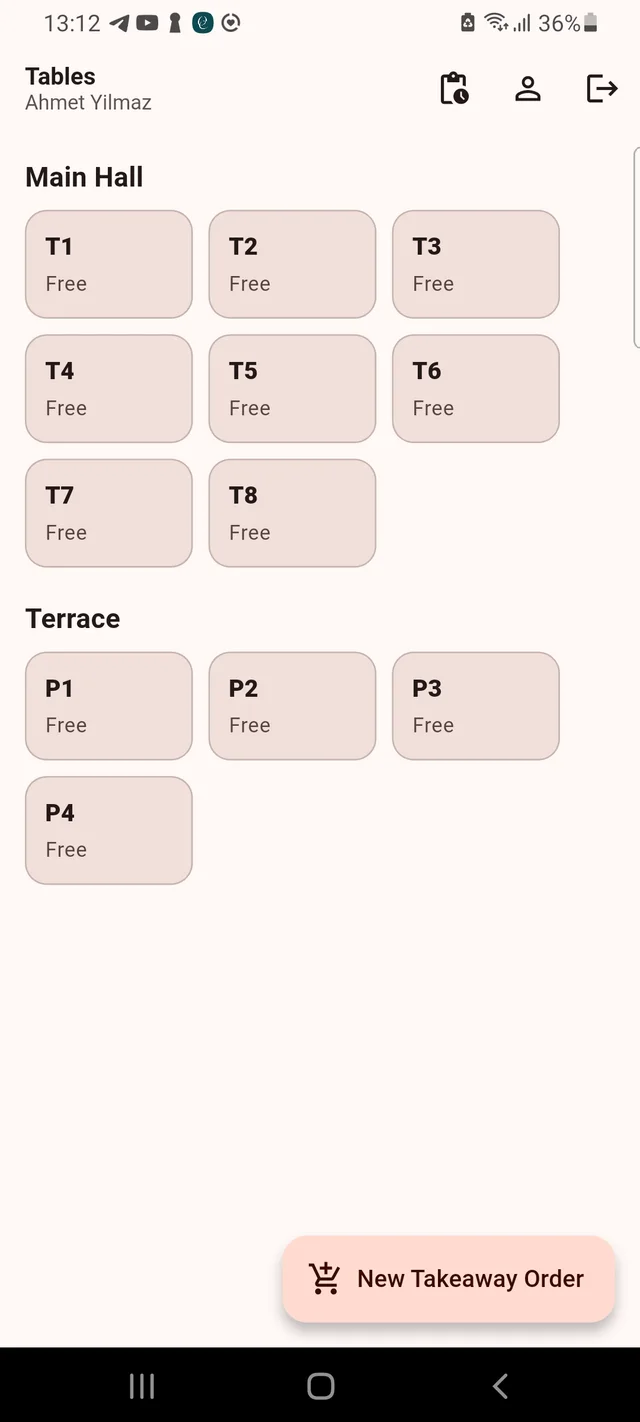
Table map, order taking and kitchen approvals in one pocket app — with live "who's online" visibility for the manager.
Live dashboard & reports
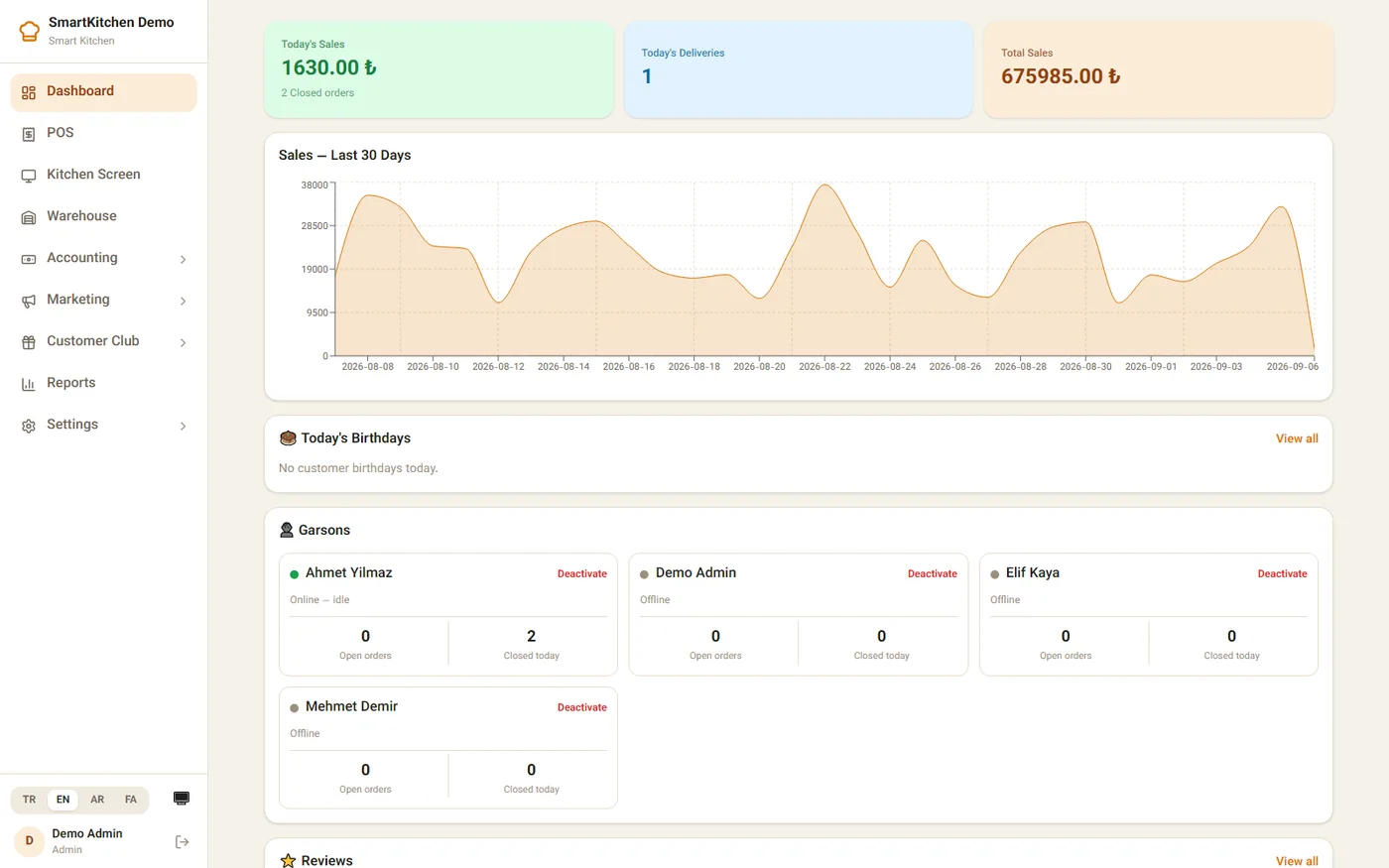
Today's sales, 30-day trend, best sellers and staff activity on one screen the moment you log in.
Loyalty & marketing
Points on every order, birthday promos and discount codes — a Customer Club that runs itself between visits.
A tour, not a demo video
Every screen you'll actually use
This is SmartKitchen Demo — a fictional café running live on our platform, seeded with a real month of orders.
Log in to the whole restaurant, not just the till. Today's revenue, a 30-day trend, and which garsons are online — the moment the page loads.
One tap from order to kitchen. Photo menu, running total, discount codes and a one-tap "send to kitchen" — built for a busy Friday night.
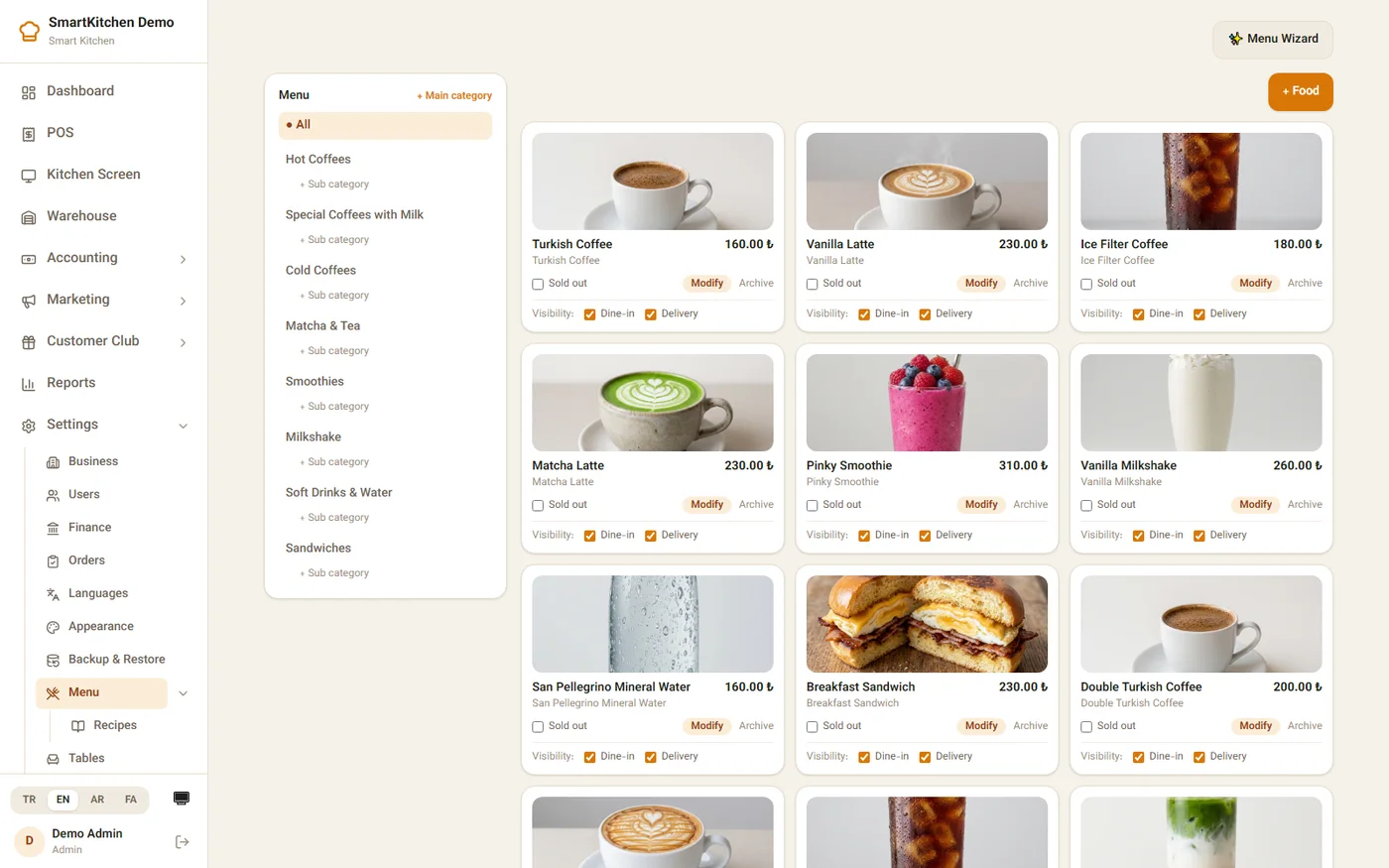
Your menu, managed like a menu. Categories, photos, per-channel visibility and a recipe behind every dish.
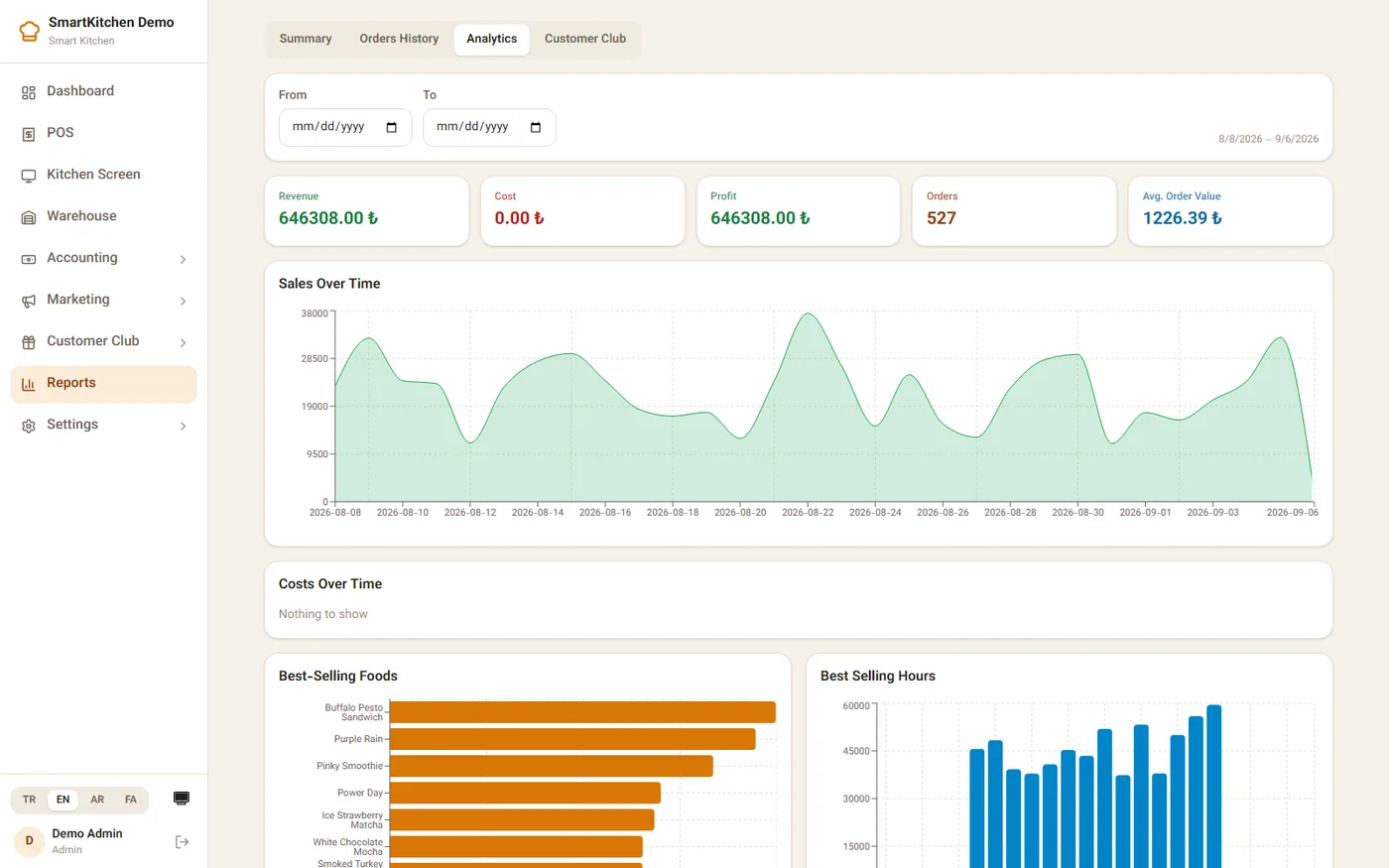
Know what's actually working. Revenue vs. cost, best-selling dishes, and the hours your restaurant is busiest.
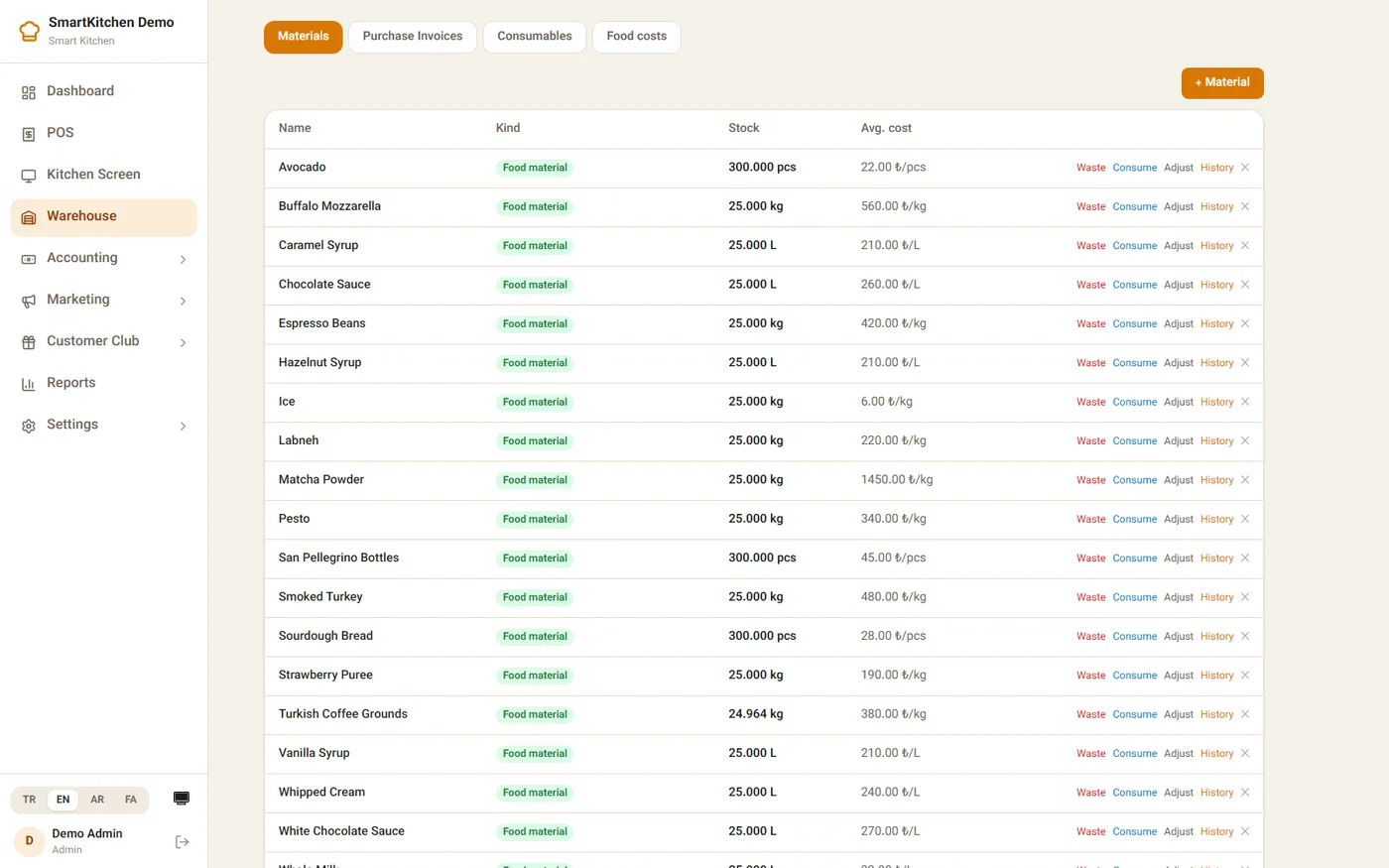
Stock that updates itself. Every sale deducts the recipe automatically — no more counting espresso beans by hand.
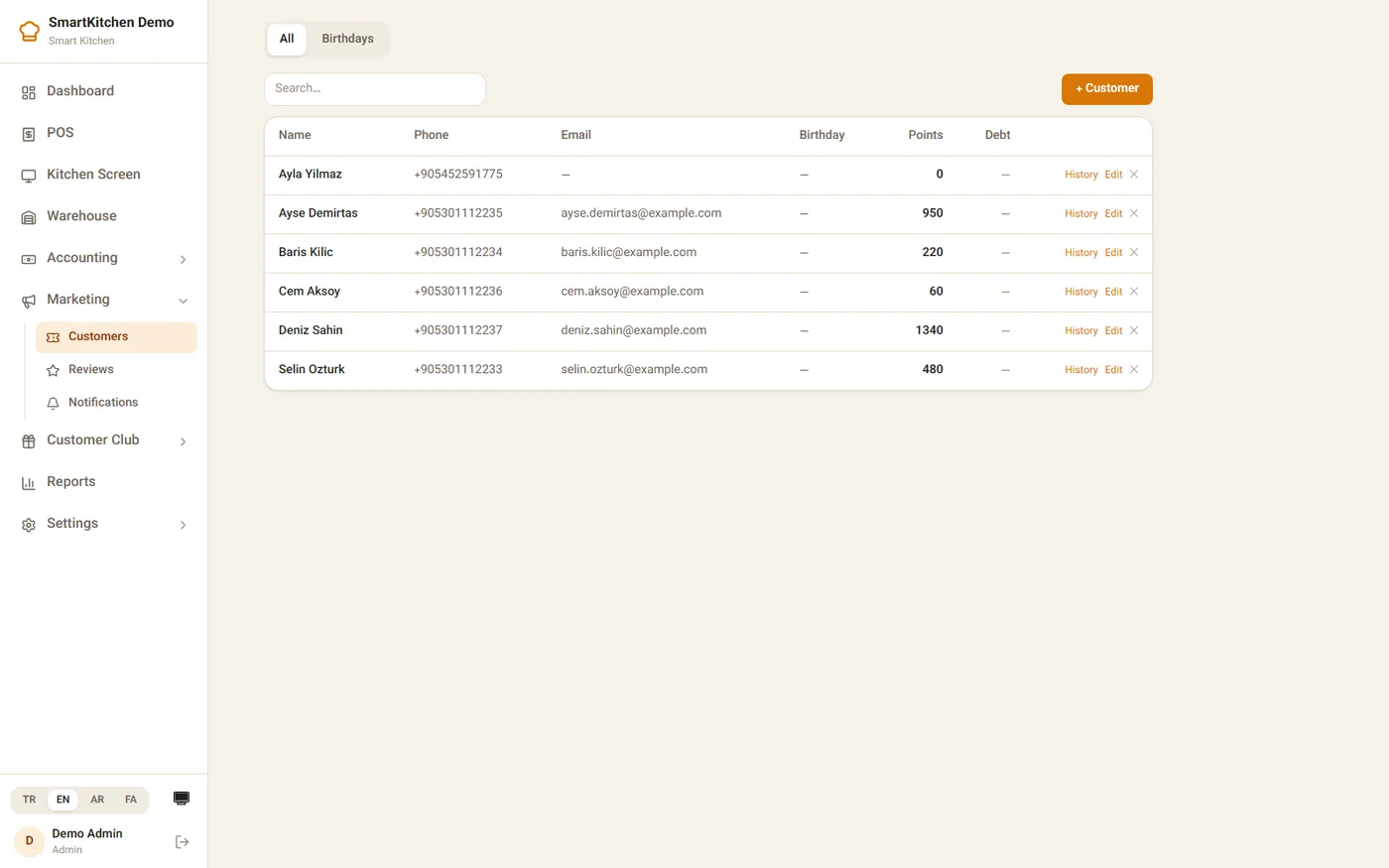
Regulars, remembered. Points, birthdays and contact details for every customer who's ever ordered.
For your customers
An app with your name on it, not ours
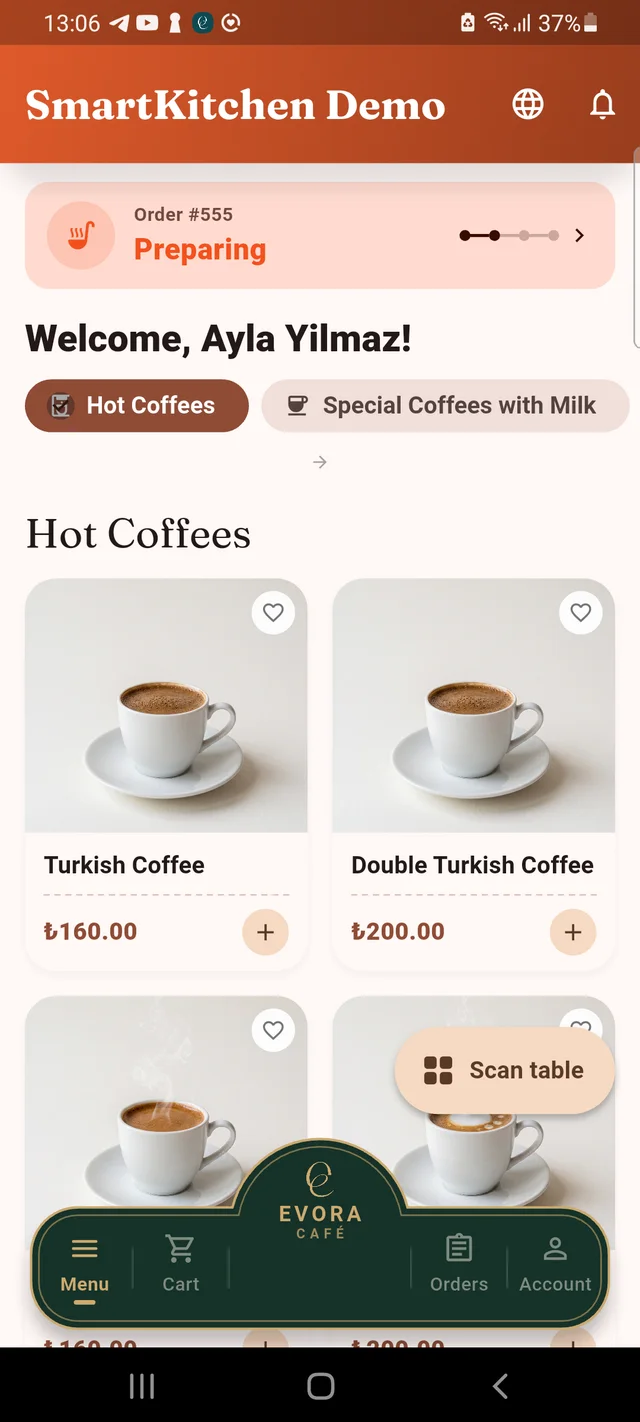
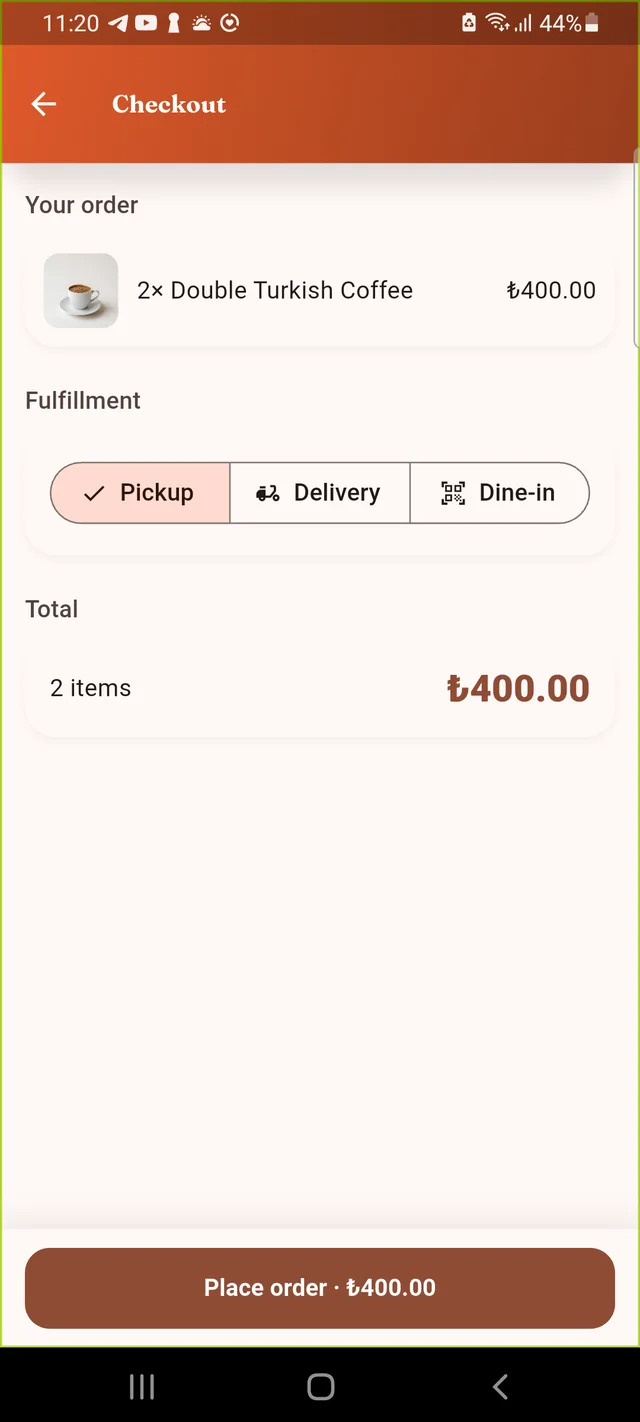
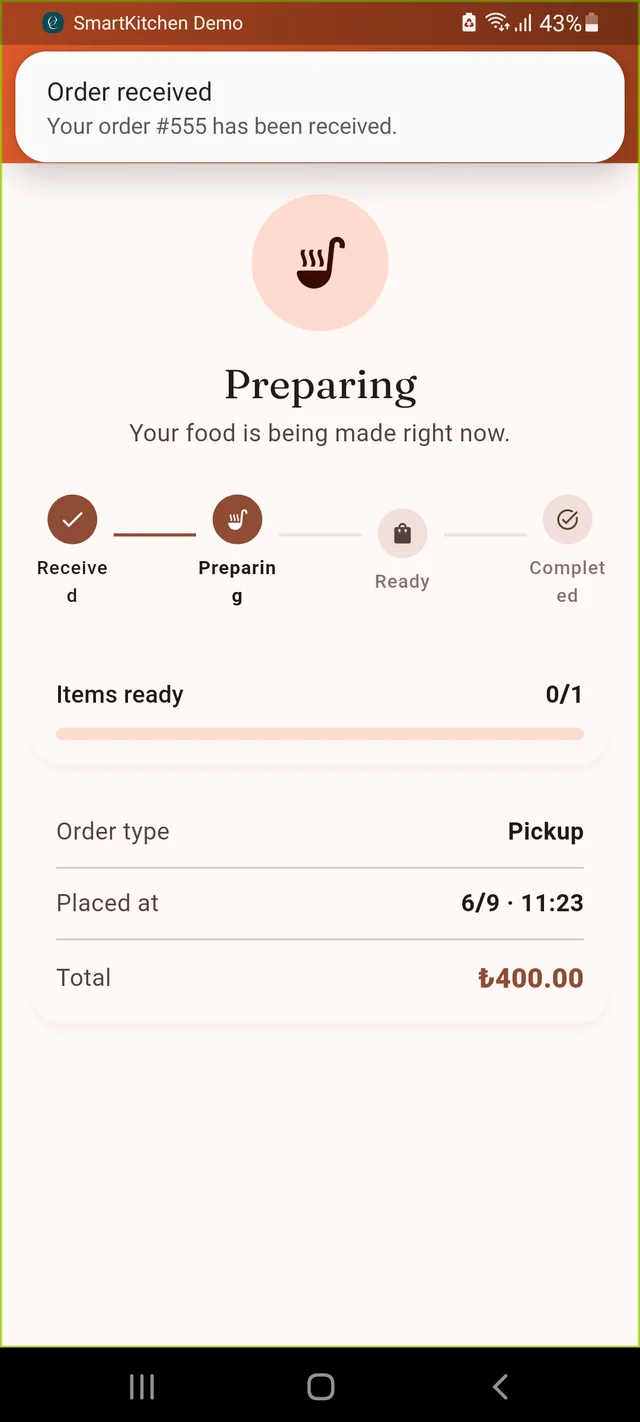
Customers browse the real menu, order for pickup, delivery or a scanned table, and watch it move from "preparing" to "served" in real time — no group ordering links, no third-party commission.
Phone sign-in, no password to forget
QR dine-in, takeaway and delivery in one flow
Live order tracking, not a guess
Loyalty points on every order
For your team
Garsons carry the floor plan in their pocket
Every table, every open order and every pending approval — on the phone your staff already have. No shared tablet left charging in the back office.
Full table map with live occupancy
Send-to-kitchen and mark-as-served, kept separate on purpose
A manager can see who's online, right now
One tap to deactivate a phone that walked out the door
Three ways to order, one kitchen
Dine-in, takeaway and delivery aren't three systems
Every order carries its channel from the moment it's placed, so the same kitchen ticket, the same recipe-based stock deduction and the same reports work no matter how the food left the building.
Dine-in
Table service, tracked to the minute
Guests scan the table's own QR code to browse and order — no app download required first
Optional approval gate: a brand-new table's first order can wait for a Garson's tap before it reaches the kitchen
Sending to the kitchen and marking food "served" are two separate, deliberate actions — a table can sit served-but-unpaid while the bill is settled
Reports show the real minutes between order and served, per table and as a restaurant-wide average
Takeaway
Order ahead, walk in, walk out
No table, no address — just a pickup time and a name on the bag
Same kitchen ticket and the same automatic recipe-based stock deduction as any other order
Customer watches it move from Preparing to Ready right in the app, so they arrive at the right moment
Delivery
Assigned, tracked, forward-only
Customer picks a saved address; a dispatcher assigns the order to a courier on the team
The courier's own phone shows the job — call the customer, get directions, and move it forward: Picked up → On the way → Delivered
Status can only move forward, so a busy night never produces an accidental backslide
The customer gets a push notification the moment their food arrives
Behind every dish
Recipes that cost themselves
Build a recipe once — a Turkish coffee is 18g of ground coffee, a latte is 18g of espresso plus 200ml of milk — and SmartKitchen handles the rest. Every sale quietly deducts the right ingredients; every dish shows its real margin, not a guess.
Ingredient cost updates itself as a weighted average every time a new purchase invoice comes in
Cost, margin and margin % computed per dish — refreshed the moment a price or a recipe changes
A dish with no recipe yet is flagged on the food-cost report, never silently costed at zero
Run out of an ingredient and the dish auto-marks itself sold out — then un-marks itself the moment stock's back
*** BAR ***
SIPARIS #556 · 11:23
MASA: Main Hall / T1
PERSONEL: Ahmet Y. (Garson)
– – – – – – – – – – – –
1x Turkish Coffee
1x Vanilla Latte
>> oat milk please
SMARTKITCHEN DEMO
RECEIPT · #556 · 11:23
1x Turkish Coffee₺160.00
1x Vanilla Latte₺230.00
– – – – – – – – – – – –
Subtotal₺390.00
KDV incl.₺39.00
TOTAL₺390.00
CARD₺390.00
No proprietary hardware
Real printers, zero IT department
SmartKitchen Print Bridge is a small app that sits quietly on any PC in the building. Pair it with an API key once, and it turns the network thermal printers you already own into kitchen stations and a cashier till — with two deliberately different documents coming off them.
Works with any standard network ESC/POS thermal printer, 58mm or 80mm — no specific brand required
Connects outward to SmartKitchen — no router configuration, no open ports
Lives in the system tray, starts with Windows, reconnects on its own if the internet blips
Print jobs queue and retry automatically — nothing's lost if a printer is off mid-shift
Kitchen tickets never show prices; cashier receipts always do — on purpose
No more guessing
Four reports, one truth
Everything below reads from the same orders, payments and stock movements everyone else on the platform sees — nothing is reconciled by hand.
Shift & Summary
Close a shift and get a real Z-report — totals by cash, card and IBAN, counted cash vs. expected, and the difference, worked out for you.
Order History
Every order, filterable by table or time — including how many minutes actually passed between the order and food reaching the table.
Analytics
Revenue, cost, profit and average order value, a 30-day trend, your best-selling dishes and your busiest hours — one screen, any date range.
Customer Club
Purchases, points earned and redeemed, and outstanding balances per customer — see who your promotion codes actually reached.
4
apps, one shared backend
3
order channels — dine-in, takeaway, delivery
1
recipe behind every dish, automatically costed
24/7
real-time kitchen & stock sync
Ready when you are
See SmartKitchen running your menu
Send us your current menu and we'll set up a working sandbox — like the one on this page — with your dishes, your prices and your floor plan.